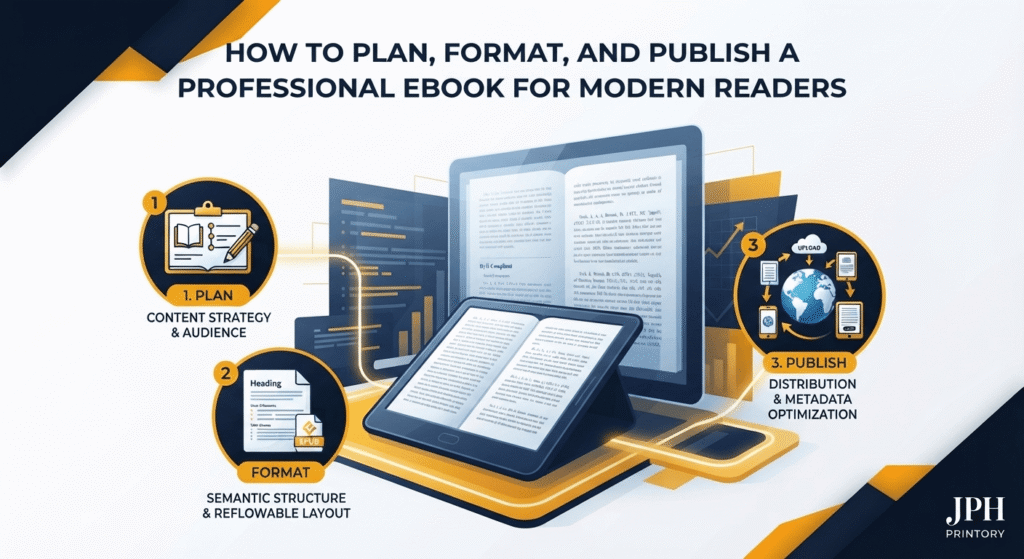
How to Plan, Format, and Publish a Professional eBook for Modern Readers
Publishing an eBook has opened direct pathways for authors, educators, researchers, and organizations to share knowledge and stories with readers around the world. Yet turning a raw manuscript into a polished digital book takes more than saving a document as a PDF or uploading a file to a storefront. A well-crafted eBook reads smoothly across phones, tablets, and e-readers, presents clear visual hierarchy, and supports discoverability from the moment it goes live.
Designing for Digital Reading Devices
Unlike a fixed printed page, reflowable eBook formats such as EPUB adapt to the reader’s screen size, font choice, and text scaling. If a manuscript relies on manual line breaks, extra spaces for indentation, floating text boxes, or overly complex tables, the layout can easily break on smaller screens.
Good eBook formatting relies on clean semantic structure rather than visual guesswork:
Clear heading hierarchy: Consistent use of chapter and section headings helps readers navigate and supports automatic tables of contents.
Clean body text and spacing: Uniform paragraph styling, sensible line spacing, and proper alignment create a comfortable reading experience.
Thoughtful images and tables: High-resolution, appropriately sized visuals with clear captions—and simplified tables or lists where wide layouts would crowd a phone screen—keep content legible on every device.
Because readers customize font sizes and background themes on their devices, rigid print-style layouts rarely translate well to digital reading. Designing with flexibility in mind ensures that paragraphs flow naturally, headings remain distinct, and readers can adjust text size without triggering overlapping elements or awkward gaps.
Essential Elements Inside a Complete eBook
A reader-ready eBook includes more than just the main chapters. Front matter and back matter give context, establish credibility, and guide readers on what to do next. Typical components include a title and copyright page, a functional table of contents, an introduction or preface, well-structured chapters, and closing sections such as a conclusion, references or notes, acknowledgments, and an author bio.
For technical, professional, or educational eBooks, consistent numbering of figures, equations, callout boxes, and references is essential to keep cross-references clear across all screen sizes. A clickable table of contents and well-organized internal navigation allow readers to easily access specific chapters, sections, and previously viewed content.
Metadata, Cover Presentation, and Storefront Readiness
Even the best-written eBook struggles to gain traction if its metadata is incomplete or unclear. Before distribution, authors and publishers should prepare accurate core details:
Compelling title and subtitle: Clear, specific, and aligned with what readers are searching for.
Accurate contributor details: Properly formatted author, editor, or translator names.
Informative book description: A concise, well-structured summary highlighting key themes, takeaways, or target audiences.
Categories, keywords, and identifiers: Relevant subject classifications, language tags, publication dates, and identifiers such as ISBNs where applicable.
Cover design also plays a decisive role in digital browsing. Because readers often evaluate covers as small thumbnails on mobile screens, bold typography, strong contrast, and a focused visual concept remain effective at any size. A cover that looks clear at thumbnail scale still maintains its polish when viewed full-screen.
Quality Assurance Before Release
Skipping a final device check is one of the easiest ways to let small errors slip through. Before publishing or sharing an eBook widely, test the compiled file across multiple viewing environments—desktop readers, tablets, and smartphones—and check both light and dark reading modes. Look closely for broken links in the table of contents, clipped or blurry images, awkward page breaks around headings, and typos in front or back matter.
Testing across devices also reveals subtle issues with lists, blockquotes, or captions that might look fine in a word processor but shift unexpectedly inside an e-reader. Taking time to review the final package before launch prevents post-release updates and gives readers a dependable experience from day one.
A smooth reading experience encourages readers to finish the book, leave thoughtful feedback, and recommend it to others. When formatting, metadata, and quality checks are handled carefully from the start, your eBook reflects the effort you put into writing it.
At JPH Printory, we assist authors, educators, and publishers with eBook formatting, layout refinement, and publishing preparation so digital books look clean and professional across modern reading platforms.